Forsaken Combat Fighting on Mobile
A phone can fight. A phone that never checked the camera cannot.
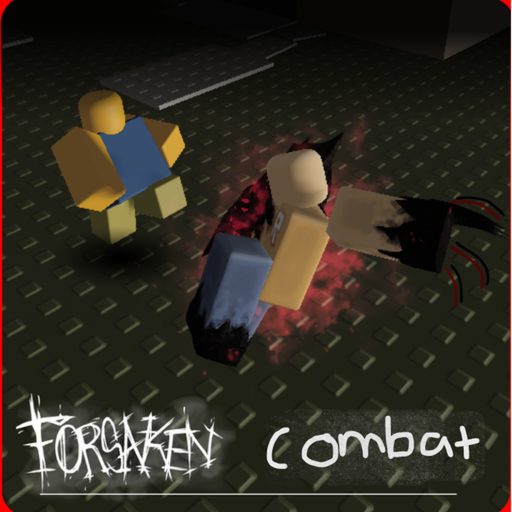
A large share of Roblox sessions happen on a phone. Forsaken Combat Fighting does not publish a separate mobile build. You launch the same experience through the Roblox app, then you fight with a virtual joystick and a swipe camera. That is enough of a difference to deserve its own page. The controls sheet lists both layouts. This guide is the phone-first version: what to touch, what to ignore, and when the problem is the remake week instead of your thumbs.
If you have not confirmed the experience yet, stop and read getting started. A perfect joystick on the horror title is still the wrong night.
Set the phone up before you queue
- Use the official Roblox app. A browser tab on a phone is a worse camera.
- Lock rotation or pick a landscape habit and keep it. Switching mid-duel is a free miss.
- Turn the brightness up enough to see wind-ups. Dark arenas hide recovery frames.
- Wear the same headphones you would use for a fighting game. Audio cues survive a messy model remake better than a silhouette.
- Put this wiki’s practice checklist on a second device or a picture-in-picture note. You will not pause a 14-player lobby to reread a paragraph.
Do not install a “mobile unlock” APK that promised extra buttons. That is malware with a Combat thumbnail. The Scripts Hub is the warning page for that impulse.
Touch language
- Move: virtual joystick, usually lower left.
- Jump: on-screen jump control. Learn where it sits so you do not fat-finger Punch.
- Camera: swipe the right side of the screen. Practice a full 360 in an empty pocket of the map before you walk at anyone.
- Zoom: pinch. Do not fight zoomed so far in that you lose the other player’s feet.
- Chat / menu: the Roblox chrome, not a Combat-only overlay. If a YouTube short shows extra GUI, it is probably a loader or the horror game.
Fight inputs (Block, Punch, Charge) sit on top of that Roblox layer. After an asset remake, they can move. Run the five-minute bind check from the controls page every time the lobby feels “off.” Muscle memory on a phone dies faster than on a keyboard.
What mobile loses, and what it does not
A mouse looks faster. That is true for camera flicks. It is not a reason to skip Block. The Guest-style loop on combat basics still works: read a committed swing, Block, Punch the recovery, Charge only on a clean line. Phone players lose when they hold Block like a shield or swipe the camera during the punch. Fix those two habits before you blame ping.
Charge is the most expensive miss on a small screen. The recovery is long and the joystick makes it easy to drift off-line. If you Charge, commit. If you are not sure, walk. How to beat rushers is easier when you stop donating Charge punishes.
Friends on mixed devices
If one of you is on PC, read play with friends together. The phone player should join second, after the host is already in. VIP is not available on this place, so you are sharing a public 14-stack. Ask the PC player to call wind-ups out loud for the first two duels. That is coaching, not a script.
When the phone feels broken
- Instance will not start: retry, or wait. The July 2026 snapshot explains why this still happens.
- Buttons vanished: remake week. Recheck binds. Do not download a GUI.
- Everyone teleports: your network, or a dying server. Leave and rejoin. Do not stay to “adapt” to 300 ms.
- You keep joining the horror game: the search bar lied again. Use the Links Hub.
There is still no mobile-only codes box. The Codes Hub is zero on every device.
A ten-minute phone warm-up
Minutes 0–3: camera 360, jump, walk a square. Minutes 3–6: empty Block, then one Punch that you chose. Minutes 6–8: one Charge into air so you feel the miss. Minutes 8–10: one short duel, then a one-sentence review. That is the practice checklist with thumbs. Then either queue again or open how to get good and stop adding new information.
A phone is a legal way to play this fighter. Treat it like a controller, not like a slot machine.
Frequently Asked Questions
Quick answers players ask before they queue again.
Is there a separate mobile version?
No. You play the same Roblox experience through the app, with touch controls on top of the usual Roblox chrome.
Why do my fight buttons move after an update?
The creator is remaking assets. Re-run the controls bind check instead of installing a third-party GUI.
Can I play with PC friends from my phone?
Yes. It is the same online place. Use the play-with-friends guide. There is no VIP lobby to hide in.
Should I use an executor on mobile?
No. That is an account risk, not a mobile quality-of-life feature. See the Scripts Hub.